
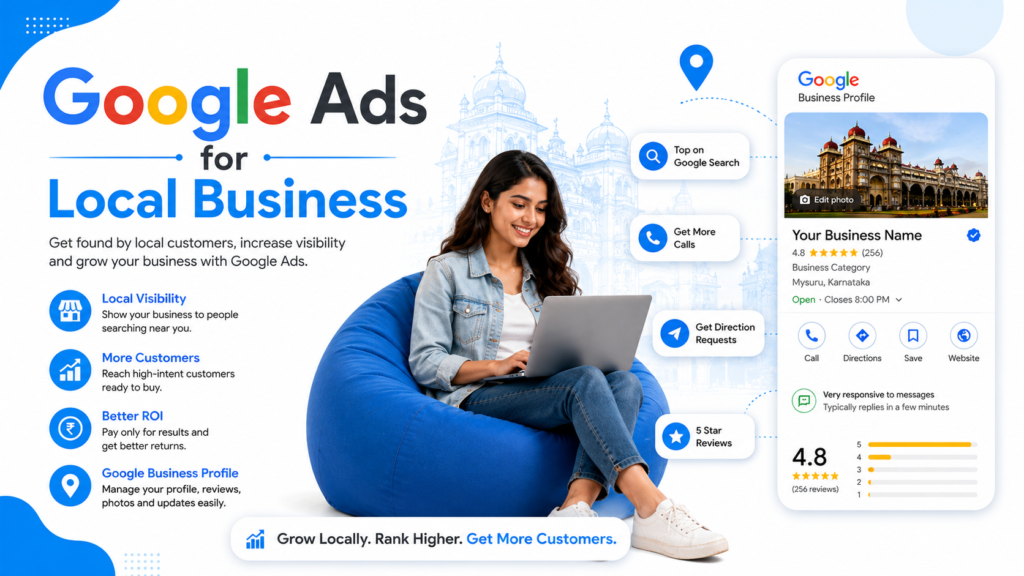
If you run a clinic in Mysuru, a bakery in Bengaluru, or a coaching centre in Mangalore, your customers are already searching for you on Google — the question is whether you show up. Google Ads for local business is the fastest way to put your shop, service, or office in front of nearby buyers the exact moment they have intent to buy. Unlike SEO, which takes months, Google Ads can start sending you calls and footfalls within 24 hours.
This beginner’s guide walks you through everything: how Google Ads works for local businesses, which campaign types to use, how much to budget, how to set up your first campaign, and the mistakes that drain ad spend with nothing to show for it.
What is Google Ads for Local Business?
Google Ads for local business is a paid advertising model where local shops, service providers, and professionals pay Google to show their listings, calls, or directions to people searching within a defined geographic radius. It uses a pay-per-click (PPC) auction system — you are charged only when someone clicks your ad, calls your business, or requests directions.
Local Google Ads typically appear in three high-intent places:
- Search results — text ads above and below organic listings for queries like “dentist near me” or “AC repair in Mysuru”.
- Google Maps — promoted pins that show up when people search the map.
- Local Services Ads (LSAs) — pay-per-lead listings that appear above everything else for service categories like plumbers, electricians, lawyers, and tutors.
According to Google’s own data, 76% of people who search for something nearby visit a related business within 24 hours, and 28% of those searches result in a purchase. That window of intent is what local Google Ads are designed to capture.
Why Local Businesses Should Run Google Ads in 2026
Three shifts make Google Ads more important for local businesses today than ever before.
1. Buyers research online but transact offline. A customer in Mysuru looking for a saree boutique will Google “best silk saree shop near me” before walking into a single store. If your store does not appear in the top three results, you are invisible.
2. SEO is slower and harder for local categories. Ranking organically for high-intent local keywords now takes 6–12 months of consistent SEO work. Google Ads delivers visibility on day one.
3. AI search is reshuffling click behaviour. With AI Overviews and ChatGPT-style answers eating into organic clicks, paid ads have become a more reliable visibility lever — especially for transactional, “near me” searches where users still click to call or book.
Types of Google Ads Campaigns for Local Businesses
Not every Google Ads campaign type is right for a local business. Here are the four that actually matter:
1. Search Campaigns
The default starting point. You bid on keywords like “dental clinic in Mysuru” or “Bharatanatyam classes near me”, and your text ad appears when someone searches that phrase. Best for service businesses where customers actively search for what you offer.
Best for: Clinics, salons, coaching centres, repair services, lawyers, CAs, real estate agents.
2. Performance Max for Local Stores
An AI-driven campaign that automatically shows your ads across Search, Maps, YouTube, Display, and Gmail using one budget. You feed it your Google Business Profile, assets (images, headlines, descriptions), and goals — Google’s algorithm does the rest.
Best for: Retail stores, showrooms, restaurants, and any business with a physical location and Google Business Profile.
3. Local Services Ads (LSAs)
Pay-per-lead instead of pay-per-click. Your business appears with a “Google Guaranteed” or “Google Screened” badge at the very top of search results. You only pay when a customer actually calls or messages you.
Best for: Plumbers, electricians, locksmiths, lawyers, real estate agents, tutors, financial planners.
Availability note: LSAs are not yet active in all Indian cities. Check the Local Services Ads eligibility tool in your region.
4. Call-Only Campaigns
Mobile-only ads designed to generate phone calls instead of website visits. The ad shows your phone number, and a tap on the ad calls your business directly.
Best for: Emergency services, restaurants taking reservations, salons, and any business that converts better on the phone than on a website.
How Much Should a Local Business Spend on Google Ads?
The most common question from small business owners is “how much will this cost me?” The honest answer: it depends on your industry, city, and competition. But here is a realistic starting framework for Indian local businesses.
| Business Type | Suggested Monthly Budget (₹) | Typical CPC Range (₹) |
|---|---|---|
| Local retail store / café | ₹10,000 – ₹25,000 | ₹4 – ₹15 |
| Coaching centre / training institute | ₹20,000 – ₹50,000 | ₹12 – ₹40 |
| Dental / medical clinic | ₹15,000 – ₹40,000 | ₹10 – ₹35 |
| Real estate agent / builder | ₹30,000 – ₹1,00,000+ | ₹25 – ₹120 |
| Home services (AC, plumber, electrician) | ₹15,000 – ₹35,000 | ₹8 – ₹25 |
Rule of thumb: Start with a budget that gets you at least 100 clicks per month. Less than that and you do not have enough data to optimise. A ₹15,000–20,000 starting budget is a sensible test budget for most local businesses in Tier-2 cities.
How to Set Up Google Ads for Local Business: Step-by-Step
Here is the exact process to launch your first local Google Ads campaign — without wasting money in the first week.
Step 1: Claim and Optimise Your Google Business Profile
Before you spend a rupee on ads, claim your free Google Business Profile. Add accurate business name, address, phone number, hours, photos, and services. Many local ad formats (Performance Max for Local Stores, Maps ads) pull data directly from your Business Profile — if it is incomplete, your ads will be too.
Step 2: Set a Clear Campaign Goal
Google Ads will ask what you want: phone calls, store visits, website actions, or leads. Pick one. A confused goal produces a confused campaign. For most local businesses, “phone calls” or “store visits” is the right choice.
Step 3: Define Your Service Area Precisely
This is where most local businesses bleed money. Do not target an entire city if your customers come from a 5 km radius. In the Locations settings, use “Radius targeting” and set a tight, realistic distance — typically 3–10 km for a brick-and-mortar store, 15–25 km for a service business that travels to customers.
Also enable: “Presence: People in or regularly in your targeted locations”. This prevents you from paying for clicks from people in Delhi searching for a Mysuru clinic.
Step 4: Build a Tight Keyword List
For a beginner local campaign, start with 15–25 high-intent keywords organised into 2–3 tight ad groups. Focus on:
- “Near me” keywords: “dentist near me”, “saree shop near me”
- City-specific keywords: “dental clinic in Mysuru”, “Bharatanatyam classes Mysuru”
- Service + location: “AC repair Saraswathipuram”, “interior designer VV Mohalla”
Use phrase match and exact match — avoid broad match keywords for a starter local campaign, because they trigger your ads on too many irrelevant searches.
Step 5: Add Negative Keywords from Day One
Negative keywords stop your ads from showing on searches you do not want. For a paid dental clinic, you would add negatives like “free”, “government”, “jobs”, “course”, “salary”. Without negatives, you will pay for clicks from students, job seekers, and freebie hunters who will never become customers.
Step 6: Write Ads That Match Local Intent
Your ad copy must mention the city or neighbourhood, the specific service, and a reason to choose you. Example:
Headline 1: Trusted Dental Clinic in Mysuru
Headline 2: Painless Treatment | 15+ Years Experience
Headline 3: Book Same-Day Appointment
Description: Family-run dental clinic in Saraswathipuram. Modern equipment, transparent pricing, and gentle care for all ages. Call now or book online.
Step 7: Use Ad Extensions Aggressively
Ad extensions (now called “assets”) increase ad size and click-through rate without extra cost. For local businesses, always enable:
- Location asset — links your Google Business Profile so your address and map pin appear.
- Call asset — adds a clickable phone number on mobile.
- Sitelink assets — extra links like “Services”, “Pricing”, “Contact”.
- Callout assets — short phrases like “Free Consultation”, “Open Sundays”, “Walk-ins Welcome”.
Step 8: Set Up Conversion Tracking Before You Launch
Running Google Ads without conversion tracking is like driving with your eyes closed. Set up at least one of these:
- Phone call conversions — track calls from the ad and from your website.
- Form submissions — track enquiries via a Google Tag Manager event.
- Store visits — automatically tracked if your Google Business Profile is verified.
Without conversion tracking, Google’s algorithm cannot optimise for the outcomes that actually matter to your business.
5 Common Mistakes Local Businesses Make with Google Ads
Over the years training 700+ digital marketers and running campaigns for local businesses across Karnataka, the same mistakes show up repeatedly:
- Targeting too wide a location. A Mysuru bakery targeting “all of Karnataka” burns money on clicks that will never visit.
- Sending traffic to the homepage. Send paid traffic to a dedicated landing page that matches the ad — not your generic homepage.
- No negative keywords. Without them, your “premium dental clinic” ad shows up for “free dental treatment”, “government dental jobs”, and other useless queries.
- Pausing campaigns too early. Google’s machine learning needs at least 7–14 days of data before judging performance. Most beginners pause on day 3 and miss the learning curve.
- Ignoring Quality Score. A high Quality Score lowers your cost per click. It improves when your keyword, ad copy, and landing page all talk about the same thing.
How to Measure ROI from Local Google Ads
The metrics that matter for a local business are not impressions or clicks — they are calls, walk-ins, and revenue. Track these four numbers every week:
- Cost per lead (CPL) — total spend ÷ total leads (calls + form fills + direction requests).
- Lead-to-customer rate — what percentage of leads become paying customers.
- Customer acquisition cost (CAC) — total spend ÷ paying customers acquired.
- Return on ad spend (ROAS) — revenue generated ÷ ad spend.
If a clinic spends ₹20,000 a month and gets 40 calls, of which 10 become patients spending ₹3,000 each, that is ₹30,000 in revenue from ₹20,000 in ad spend — a 1.5x ROAS. For high-margin services, this is profitable. For low-margin businesses, you would want to push that closer to 3x.
Should You Learn Google Ads Yourself or Hire an Agency?
For most local businesses, the right answer is both — learn the fundamentals yourself so you can never be cheated, and hire help when scale demands it.
If you want to take ownership of your performance marketing rather than outsource it blindly, structured learning helps. A practical, India-focused performance marketing course in Mysore can cut the learning curve from 12 months of trial-and-error to a few weeks of structured practice on real campaigns. For a small business owner or in-house marketing manager, this is the single highest-ROI investment in your marketing stack.
Frequently Asked Questions
How much do Google Ads cost for a small local business in India?
Most local businesses in India should budget between ₹10,000 and ₹30,000 per month to start. Cost per click ranges from ₹4 for retail searches to ₹120 for competitive categories like real estate and law. Start small, measure cost per lead, then scale once you find a profitable formula.
How long does it take to see results from local Google Ads?
You can see clicks and calls within 24–48 hours of launching a campaign. However, Google’s algorithm typically needs 7–14 days to optimise, and you need 30 days of data to make confident decisions about scaling or pausing. Avoid making big changes in the first two weeks.
Are Google Ads better than Facebook or Instagram Ads for local businesses?
Google Ads captures existing demand — people actively searching for what you sell. Facebook and Instagram create demand by interrupting users with offers. For most local service businesses (clinics, repair services, lawyers), Google Ads delivers higher-intent leads. For visual products (food, fashion, decor), Meta ads often work better. The best strategy uses both.
Do I need a website to run Google Ads for my local business?
Not always. Call-Only Campaigns, Local Services Ads, and Performance Max for Local Stores can run using only your Google Business Profile and phone number. However, having even a simple one-page website with a clear offer almost always improves conversion rates and lowers cost per lead.
What is a good cost per lead for local Google Ads in India?
A healthy benchmark is ₹150–₹500 per lead for retail and service businesses, ₹500–₹1,500 for healthcare and education, and ₹1,000–₹3,000 for real estate and high-ticket B2B. Anything significantly above these ranges signals a problem with targeting, keywords, or landing page.
Can I run Google Ads without hiring an agency?
Yes, especially for small budgets under ₹30,000 per month. Google’s interface has become beginner-friendly, and with a structured course or self-study, most small business owners can manage their own campaigns. Agencies start to make economic sense once monthly spend crosses ₹75,000–₹1,00,000 or when the time cost of self-management exceeds the agency fee.
Final Thoughts: Start Small, Measure Everything
Google Ads for local business is not magic — it is a measurable, controllable system that rewards businesses willing to test, track, and improve. The local shops and service providers winning in 2026 are not the ones with the biggest budgets. They are the ones who know exactly what each click, call, and customer costs, and who keep refining their campaigns every single week.
Start with a tight 3 km radius, 20 keywords, ₹15,000 budget, and one clear goal. Track every call. Cut what does not work. Double down on what does. Within 90 days, you will have something most of your competitors do not: a paid acquisition channel that actually pays for itself.