
Last updated: July 2026 | Reading time: 10 min | Author: Jayateerth Kulkarni, Founder — ETMark Academy & Sugar Salt Media
If you are searching for Google Analytics certification answers, you are almost certainly trying to do one sensible thing: pass the exam without wasting hours. Here is the honest truth up front — there is no reliable, up-to-date “answer key,” and chasing one is the slowest way to pass. Google randomises questions, updates the exam regularly, and the leaked answer dumps floating around are usually outdated, wrong, or tied to the retired Universal Analytics version.
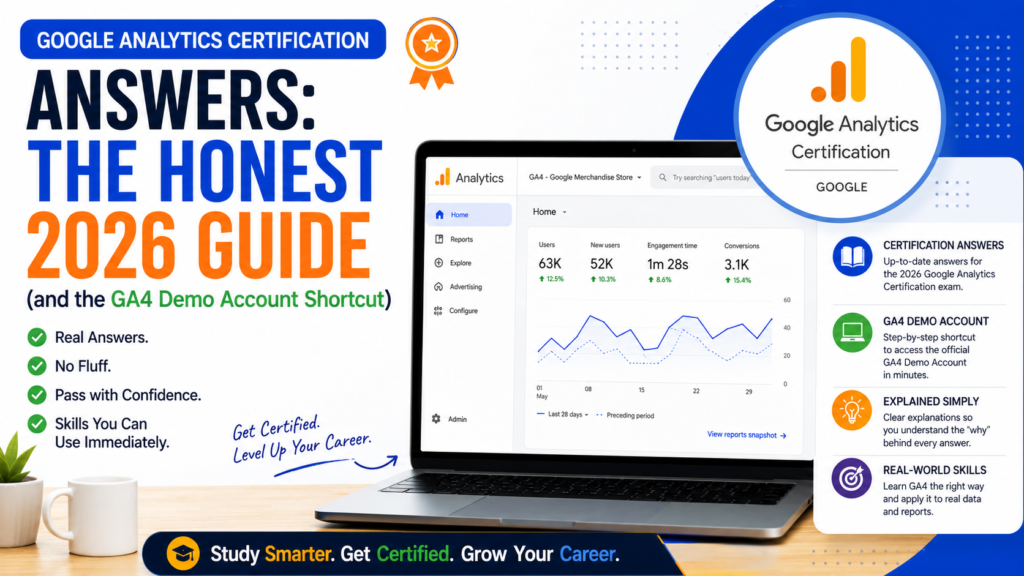
The good news is that there is a shortcut, just not the one most people look for. The fastest, safest way to get every answer right is to practise inside the free Google Analytics 4 demo account — a real GA4 property with live data where the “answers” stop being trivia and start making sense. This guide explains how the exam actually works in 2026, what it tests, and exactly how to use the demo account to walk in prepared.
The honest truth about “Google Analytics certification answers”
Let us clear up why answer keys are a trap before you waste time on them:
- The exam is randomised. Two people rarely see the same set of questions in the same order, so a static list of answers cannot map cleanly to your exam.
- It changes with the product. When Google shifted from Universal Analytics to GA4, most old answers became flatly incorrect. Dumps age badly.
- You risk your credential. The certification is meant to prove you can actually use Google Analytics. Passing on memorised answers and then freezing in a real interview or on a client account defeats the entire point.
- Understanding is faster than memorising. Fifty scattered answers are hard to memorise. The handful of concepts behind them is far easier to learn — and you keep the skill for life.
So treat “answers” as a signal of what you need to understand, not copy. The rest of this guide gives you that understanding.
What is the Google Analytics certification in 2026?
The Google Analytics certification — historically known as the GAIQ (Google Analytics Individual Qualification) and now built entirely around Google Analytics 4 (GA4) — is a free credential from Google that verifies you can set up, read, and act on analytics data. You take it through Google Skillshop, Google’s official training platform.
Here is what to expect on exam day:
- Format: around 50 multiple-choice questions.
- Time limit: roughly 75 minutes.
- Cost: completely free.
- Validity: 12 months, after which you retake it to stay certified.
- Where: Google Skillshop, using any Google account.
Because it is free and repeatable, there is genuinely no reason to gamble on shady answer keys. If you understand the platform, one honest attempt is usually enough. If GA4 still feels abstract, our explainer on the real difference between Google Tag Manager and Google Analytics is a good primer — GA4 is the reporting engine, and the exam tests how well you can read it.
What the exam actually tests (the “answers” behind the answers)
Rather than hunting for individual answers, learn the five areas the exam draws from. Every question maps back to one of these:
- Planning and principles — why you measure, choosing the right metrics, and how GA4’s event-based model differs from the old session-based one.
- Implementation — setting up a property and data stream, and how tags send data into GA4.
- Configuration — events, conversions (key events), audiences, and data settings.
- Reporting — navigating the standard reports: acquisition, engagement, monetisation, and retention.
- Analysis — using Explorations, comparisons, and segments to answer real business questions.
Once you can comfortably do a real task in each of those five areas, the multiple-choice questions become easy — you are recognising things you have actually done, not guessing. And the single best place to do those tasks without owning a website is the GA4 demo account.
The GA4 demo account is the real answer key
The Google Analytics 4 demo account is a free, fully functional GA4 account that any Google user can access. Instead of made-up sample data, it uses real, anonymised data from two live Google properties, which lets you practise everything the exam asks about on genuine numbers.
According to Google’s official demo account help page, it contains two GA4 properties:
- Google Merchandise Store — web data from Google’s real online shop selling branded products. This is your playground for ecommerce, traffic sources, and conversions.
- Flood-It! — app and web data from a mobile game, ideal for learning how GA4 handles app events and cross-platform reporting.
A few things to know before you rely on it:
- You get a read-only (Viewer) role — you can explore every report but cannot change settings, which means it is impossible to break anything.
- It is free and added to your account the moment you click Google’s access link and sign in.
- The demo properties count toward your 100-property limit in Analytics, which matters only if you manage a large agency account.
To add it, sign in to your Google account, open Google’s demo account help page linked above, and click the property link — GA4 attaches the demo to your existing Analytics account automatically. From there you can explore it exactly as you would a client’s property.
How to use the demo account to prepare for each exam area
This is where the demo account turns from “nice to have” into your study system. Map each exam area to a task you complete inside the Merchandise Store property:
- Configuration: open Admin → Events and Key Events and note which events are marked as conversions. The exam loves questions about the difference between an event and a key event — here you can see it live.
- Reporting: open the Acquisition reports and identify the top channels; open Monetisation to see ecommerce revenue. Practise reading, not memorising.
- Analysis: build a simple Exploration — for example, a free-form table of sessions by channel, or a funnel from view-item to purchase. This is the highest-value skill the exam rewards.
- Planning: pick a business question (“which channel drives the most revenue?”) and answer it using the data. That habit is exactly what the exam scenarios test.
If you want to go one step further and connect the demo data to a dashboard, link the Merchandise Store property to Looker Studio and rebuild a basic traffic report. That single exercise touches reporting, analysis, and data interpretation at once — and it is the kind of thing you will do on day one of a real Google Tag Manager or analytics job.
A 5-step study plan that beats any answer dump
Here is the exact sequence we recommend to students preparing for the certification:
- Do the free Skillshop lessons. Google’s own GA4 learning path on Skillshop is the closest thing to an official answer source, because the exam is written from it.
- Add the GA4 demo account and spend an hour clicking through every report menu until the layout feels familiar.
- Complete one task per exam area using the mapping above. Understanding beats memorising every time.
- Set up your own GA4 property on a real site so you also practise the implementation tasks the read-only demo cannot cover — our guide on how to add Google Tag Manager code in WordPress walks you through deploying GA4 through GTM.
- Take a practice run, then the real exam. Because it is free and retakeable, treat your first attempt as the ultimate practice test.
Analytics is one of a small set of genuinely job-defining skills. It sits right alongside the other platforms in our roundup of the essential digital marketing tools every beginner should learn, and it underpins how you prove results through conversion tracking in digital marketing.
Common mistakes to avoid
- Studying Universal Analytics material. UA was retired in 2023 and removed in 2024. Any guide or answer set built around sessions, bounce rate as a primary metric, or view-level settings is obsolete. Learn GA4’s event model instead.
- Only reading, never clicking. You cannot pass a hands-on exam from theory alone. The demo account exists precisely so you can practise.
- Memorising answer dumps. They are outdated, incomplete, and leave you unable to do the actual work the certificate is supposed to prove.
- Ignoring Explorations. Many candidates stick to standard reports and get caught out by analysis questions. Build at least two Explorations before your exam.
The certification is a door-opener, not the destination. Employers value it most when it is backed by evidence you can actually use the data — which is why we treat it as one milestone inside a wider, project-based path to becoming job-ready in digital marketing in three months. It also pairs naturally with revising your Google Ads interview terminologies, since analytics and paid media are tested together in most interviews.
Frequently asked questions
Are there official Google Analytics certification answers?
No. Google does not publish an answer key, and the exam is randomised and updated regularly, so leaked answer dumps are unreliable and often outdated. The dependable way to get the answers right is to study the free Skillshop lessons and practise in the GA4 demo account until the concepts are second nature.
Is the Google Analytics certification free?
Yes. The GA4 certification is completely free to take on Google Skillshop using any Google account. It has around 50 questions, a 75-minute limit, and stays valid for 12 months, after which you can retake it for free.
What is the GA4 demo account and how do I access it?
The GA4 demo account is a free, read-only Google Analytics 4 account with real data from the Google Merchandise Store and the Flood-It! app. Sign in to your Google account, open Google’s official demo account help page, and click the property link — the demo is added to your Analytics account automatically.
Can I practise setting up GA4 in the demo account?
Not fully. The demo account is read-only, so you can explore every report but cannot change configuration or create events. To practise implementation tasks, set up your own free GA4 property on a real website alongside using the demo for reporting and analysis practice.
How long does it take to prepare for the GA4 certification?
Most beginners can prepare in a few focused days: complete the Skillshop GA4 lessons, spend a couple of hours in the demo account, and complete one hands-on task per exam area. Because the exam is free and retakeable, you can sit it as soon as those tasks feel comfortable.
Conclusion: understanding is the only answer key that works
Chasing Google Analytics certification answers feels like a shortcut, but it is the long way round — outdated, unreliable, and useless the moment someone asks you to actually read a report. The real shortcut is the free Google Analytics 4 demo account: an hour of clicking through real data teaches you more than any answer dump, and it makes the exam questions obvious because you have already done the work.
If you want to learn GA4 hands-on — building reports, tracking conversions, and analysing real campaigns on live client projects instead of memorising trivia — that is exactly how we train marketers at ETMark. Explore our practical digital marketing course in Mysore with live projects, or browse all our programs on the ETMark Academy courses page.
About the author: Jayateerth Kulkarni is the Founder of ETMark Academy and Sugar Salt Media, a full-service digital marketing and AI agency based in Mysuru. He works hands-on with analytics, tracking, and paid media for clients across real estate, healthcare, education, and e-commerce, and trains students and business owners on practical, tool-first digital marketing.
{
“@context”: “https://schema.org”,
“@graph”: [
{
“@type”: “BlogPosting”,
“mainEntityOfPage”: {
“@type”: “WebPage”,
“@id”: “https://etmarkacademy.com/google-analytics-certification-answers/”
},
“headline”: “Google Analytics Certification Answers: The Honest 2026 Guide (and the GA4 Demo Account Shortcut)”,
“description”: “There is no reliable Google Analytics certification answer key. Here is how the GA4 exam really works and how to use the free Google Analytics 4 demo account to pass it properly.”,
“author”: {
“@type”: “Person”,
“name”: “Jayateerth Kulkarni”,
“url”: “https://etmarkacademy.com/about-us/”
},
“publisher”: {
“@type”: “Organization”,
“name”: “ETMark Academy”,
“url”: “https://etmarkacademy.com/”
},
“datePublished”: “2026-07-25T13:00:00+05:30”,
“dateModified”: “2026-07-25T13:00:00+05:30”
},
{
“@type”: “FAQPage”,
“mainEntity”: [
{
“@type”: “Question”,
“name”: “Are there official Google Analytics certification answers?”,
“acceptedAnswer”: {
“@type”: “Answer”,
“text”: “No. Google does not publish an answer key, and the exam is randomised and updated regularly, so leaked answer dumps are unreliable and often outdated. The dependable way to get the answers right is to study the free Skillshop lessons and practise in the GA4 demo account until the concepts are second nature.”
}
},
{
“@type”: “Question”,
“name”: “Is the Google Analytics certification free?”,
“acceptedAnswer”: {
“@type”: “Answer”,
“text”: “Yes. The GA4 certification is completely free to take on Google Skillshop using any Google account. It has around 50 questions, a 75-minute limit, and stays valid for 12 months, after which you can retake it for free.”
}
},
{
“@type”: “Question”,
“name”: “What is the GA4 demo account and how do I access it?”,
“acceptedAnswer”: {
“@type”: “Answer”,
“text”: “The GA4 demo account is a free, read-only Google Analytics 4 account with real data from the Google Merchandise Store and the Flood-It! app. Sign in to your Google account, open Google’s official demo account help page, and click the property link to add the demo to your Analytics account automatically.”
}
},
{
“@type”: “Question”,
“name”: “Can I practise setting up GA4 in the demo account?”,
“acceptedAnswer”: {
“@type”: “Answer”,
“text”: “Not fully. The demo account is read-only, so you can explore every report but cannot change configuration or create events. To practise implementation tasks, set up your own free GA4 property on a real website alongside using the demo for reporting and analysis practice.”
}
},
{
“@type”: “Question”,
“name”: “How long does it take to prepare for the GA4 certification?”,
“acceptedAnswer”: {
“@type”: “Answer”,
“text”: “Most beginners can prepare in a few focused days: complete the Skillshop GA4 lessons, spend a couple of hours in the demo account, and complete one hands-on task per exam area. Because the exam is free and retakeable, you can sit it as soon as those tasks feel comfortable.”
}
}
]
}
]
}